The Login That Shouldn’t Have Worked: What Zero Trust Network Access Means for Small Businesses
Picture a situation that plays out at small businesses more often than most owners would guess. A freelance designer finishes a project, gets paid, and moves on. Nobody ever revokes her login. She isn’t malicious, she just never signs in again, but the account stays active for months. Nobody notices until a routine password reset turns up an account that should have been dead since the contract ended.
This is a hypothetical, but it’s the kind of hypothetical that maps closely onto how a lot of small businesses actually get exposed. Not through some dramatic hacking scene, but through a login nobody remembered to close. Zero trust network access is built around fixing exactly that problem.
The Old Way of Thinking About Network Security
For years, business networks worked like a building with one locked front door. You showed your badge, you got buzzed in, and once inside you could wander pretty freely between offices.
Traditional VPNs work the same way. An employee or contractor logs in once, and after that, the network largely assumes they belong there. A laptop is treated as trustworthy simply because it made it past the login screen, not because anyone checked what it was doing five minutes later.
The problem is that this model was built for a world where “inside the network” meant something specific. Now, with employees working from coffee shops, contractors logging in from personal laptops, and business tools scattered across a dozen cloud apps, there isn’t really an “inside” anymore. A stolen password or an infected laptop gets the same free pass as anyone else who made it through the door.
What “Never Trust, Always Verify” Actually Means
Zero trust is built on one simple principle: never trust, always verify. No one gets access just because they’re already inside the network or logged in yesterday. Every request has to prove itself, every time.
Identity as the Real Perimeter
Instead of asking whether a device got through the firewall, zero trust asks who exactly this is, and whether they should be touching this specific resource right now. Identity, not location, becomes the thing being checked. A login from the office and a login from a hotel Wi-Fi network get evaluated by the same standard.
Least Privilege, Not Free Roaming
Under zero trust, access is scoped down to what a person actually needs. The bookkeeper gets the accounting software, not the entire file server. A contractor building a landing page gets that project folder, not the customer database sitting three folders over.
This is usually called the principle of least privilege, and most organizations are further from it than they’d like to admit. A 2025 Tailscale survey on zero trust adoption found that only 26% of organizations had actually implemented least-privilege access controls, meaning the majority still default to broader access than anyone needs. That gap is exactly where a compromised account does the most damage. If a contractor’s laptop had been infected with malware, least-privilege access would have kept the damage contained to one folder instead of the whole network.
Verification That Doesn’t Stop at Login
Maybe the biggest shift is that verification doesn’t end once someone signs in. A zero trust setup keeps checking: whether the device still meets security requirements, whether the login pattern looks normal, whether the request matches what that user typically does. If something looks off mid-session, access can be narrowed or cut immediately, not just flagged for review the next day.
How This Actually Works Behind the Scenes
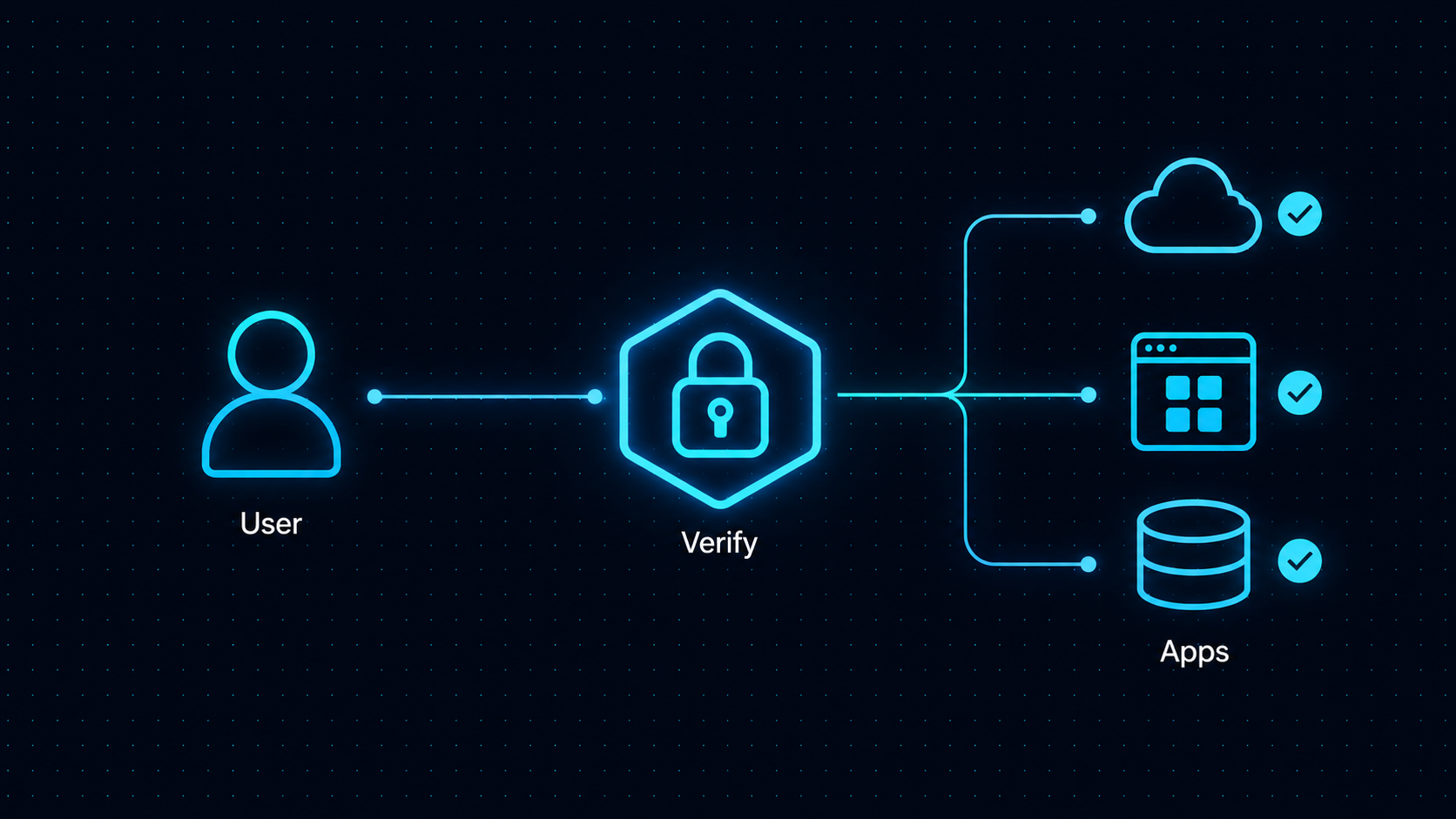
None of this requires an employee to re-type a password every ten minutes. It runs mostly in the background through a few connected pieces.
Microsegmentation breaks the network into smaller isolated zones instead of one open space, so access to one segment doesn’t automatically grant access to the rest. Device posture checks confirm a laptop has current security patches and antivirus running before letting it touch anything sensitive. Multi-factor authentication adds a second proof of identity beyond a password, which matters because passwords alone don’t hold up well on their own. An analysis of breach data by Cybernews found that 94% of passwords exposed in breaches had been reused across other accounts, and separate research from Proofpoint has flagged inconsistent enforcement of password policies as a common weak spot inside small and midsize organizations. Neither of those problems disappears with zero trust, but MFA and device checks mean a leaked password by itself stops being enough to get someone in.
Put together, these pieces mean a stolen password by itself usually isn’t enough to get someone very far. The attacker would still need to pass device checks, stay within a narrow slice of access, and avoid triggering behavior-based alerts along the way.
Zero Trust vs. the VPN You’re Probably Already Using
Many small businesses already run a VPN and assume that covers them. It helps to be clear about what a VPN actually does versus what zero trust adds.
A VPN encrypts the connection between a device and the company network, which is useful, but once that tunnel is open, the user typically has broad access to whatever sits on the network behind it. Zero trust network access, often shortened to ZTNA, instead grants access to individual applications and resources rather than the network as a whole. Someone using ZTNA to reach the CRM doesn’t automatically get a path to the file server or the accounting system.
That architectural difference shows up in the numbers organizations report after the fact. IBM’s Cost of a Data Breach Report has tracked lower average breach costs among organizations with mature zero trust deployments compared to those without one, which lines up with the basic logic here: a VPN’s design means one set of stolen credentials can open a lot of doors at once, because broad access is the default. ZTNA’s design means one set of stolen credentials opens the specific door it was scoped to, and nothing else, because narrow access is the default. The gap between those two outcomes comes down to how much an attacker can reach once they’re in, not how likely they are to get in in the first place.
What This Looks Like Day to Day
Go back to that freelance designer example. Under a zero trust setup, her access would have been tied to the specific project, likely set to expire automatically once the contract ended, rather than sitting open indefinitely.
The same logic applies to a remote employee logging in from a new city while traveling. Instead of getting flagged and locked out entirely, which frustrates real employees and slows down actual work, a zero trust system can ask for additional verification and grant access to just the tools that person needs for that day, without exposing everything else.
For a small business juggling contractors, part-time staff, cloud software, and a mix of company and personal devices, this approach fits the reality of how the work actually gets done. It also fits a common small business problem that few people talk about: nobody remembers to clean up old access, and zero trust reduces how much damage that oversight can cause.
Getting Started Without a Dedicated IT Team
A lot of small business owners hear “zero trust” and assume it requires a security team they don’t have. In practice, most of the groundwork can be handled through a managed platform rather than something built from scratch.
The practical starting points usually look like this: turn on multi-factor authentication everywhere it’s available, map out who actually needs access to what and remove the access nobody’s used in months, and separate the network so finance systems aren’t reachable from the same segment as, say, the guest Wi-Fi. From there, a ZTNA tool handles the harder part: checking devices, managing per-application access, and watching for unusual behavior, without someone manually reviewing logs every day.
Several vendors sell this as a packaged service, including NordLayer, Cloudflare Access, Twingate, and Perimeter 81. Their feature sets, pricing, and setup process differ enough that comparing two or three before committing is time well spent. It’s also worth treating vendor marketing pages as marketing, not evaluation. NordLayer, for example, promotes its own ease of setup and management, and claims like that are worth checking against independent reviews and other users’ experiences rather than accepting at face value. None of the vendors named here are being recommended over the others; they’re listed as examples of what this category of tool looks like in practice.
Closing the Door That Was Left Open
Go back to that freelance designer one more time. In this scenario, her credentials eventually get shut off, months late, after doing no harm anyone can find. But that outcome is luck, not good practice.
Zero trust network access doesn’t promise nothing bad will ever happen. What it does is shrink the size of the mistake when something inevitably slips through, whether that’s a forgotten contractor account, a phished password, or a laptop that picked up malware at an airport. The front door stays locked, and just as importantly, so does every door behind it.