Zero Trust Access for CPA Firms After the FTC Safeguards Rule Rewrite
It’s February, and your seasonal bookkeeper is logging in from her home network to pull a client’s W-2 information. Down the hall, a partner is remote, connecting to the firm’s server from hotel Wi-Fi during a conference. Neither login looks unusual to anyone watching. That’s the problem.
Accounting and CPA firms sit on a specific kind of data that makes them attractive targets: Social Security numbers, bank account and routing numbers, EINs, prior-year tax returns, and enough personal detail to open a line of credit in someone else’s name. A law firm holds sensitive documents. A retailer holds payment card numbers. A CPA firm often holds both categories of risk at once, for hundreds of clients, during a compressed filing season when everyone is moving fast and double-checking less.
Why Accounting Firms Are a Specific Kind of Target
Small and mid-sized CPA firms attract attackers for reasons that don’t apply the same way to other small businesses. The data is dense and valuable in one place. Staff turnover is common with seasonal hires. And firms routinely exchange documents with clients, banks, and the IRS through email and portals, which gives phishing attempts a plausible reason to exist in an inbox.
Tax season compounds this. Attackers know firms are processing high volumes of sensitive documents under deadline pressure, which is exactly when a rushed employee is more likely to click a link that looks like it came from a client or the IRS itself.
Real cases back this up. Reporting from FOX 5 Atlanta covered a small Georgia CPA firm whose remote access credentials were phished during filing season, exposing a wide swath of client tax files. Separately, HIPAA Journal’s breach coverage documents Legacy Professionals, a Chicago-based accounting firm, which disclosed a breach affecting client records after an intrusion went undetected for weeks. 911 IT also documents a Southeast firm that closed permanently after a ransomware attack destroyed client files with no clean backup to fall back on. None of these firms had unusual security setups. They had the setups a lot of small practices still run.
The Trouble With “Login and You’re In”
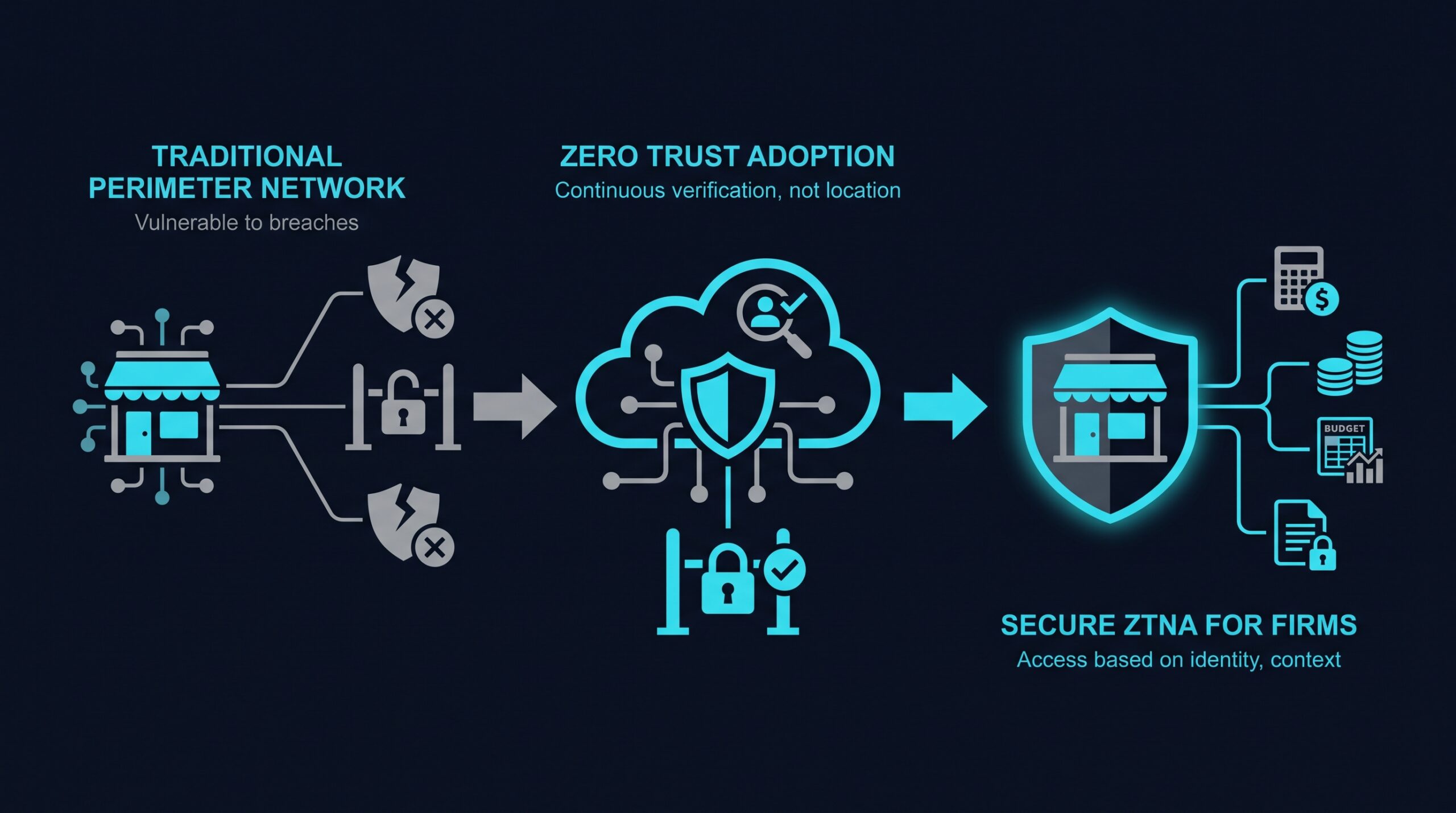
Many firms still rely on a traditional VPN, or in some cases no remote access control beyond a password, to let staff reach client files and tax software from home or on the road. A VPN’s basic design assumption is that once someone authenticates, they’re a trusted user on the network, largely free to reach whatever else sits on it.
That assumption doesn’t hold up against how the breaches above actually happened. If a bookkeeper’s credentials are phished, a VPN doesn’t know the difference between her and an attacker using her password. Once inside, that connection can often reach far more of the network than the job requires, including files for clients that particular employee has no reason to touch.
This is the gap zero trust network access is built to close. Instead of trusting a connection because it’s on the inside, it verifies who someone is, what device they’re using, and whether that specific request fits their role, every time, not just at login.
What Zero Trust Actually Checks
A few mechanisms do the actual work here, and understanding them helps when evaluating whether a tool fits a small accounting practice.
Identity verification confirms the person logging in is who they claim to be, usually through multi-factor authentication tied to a company directory or single sign-on provider, rather than a shared password.
Device posture checks catch compromised or noncompliant devices before they ever touch client files. A personal laptop running an outdated operating system, or one missing disk encryption, can be flagged or blocked even when the login credentials entered are correct.
Least-privilege access means a payroll clerk’s login reaches payroll systems and nothing else. It doesn’t open the door to every client folder on the shared drive, which limits what a compromised account can actually get to.
Microsegmentation breaks the network into smaller zones so that even if one segment is compromised, movement into other segments isn’t automatic. This matters for CPA firms specifically because client data is often naturally siloed by engagement, and access rules can mirror that structure.
Continuous verification means trust isn’t a one-time decision made at login. If a session behaves oddly, say, a sudden attempt to download hundreds of client files at 2 a.m., access can be re-checked or cut off mid-session rather than only at sign-in.
A Realistic Scenario: The Seasonal Staff Problem
Most small CPA firms bring on temporary help for tax season, sometimes contractors working remotely for only a few months. Under a traditional setup, this usually means creating a VPN account, handing over broad access “to be safe,” and remembering to revoke it in April, an item that reliably falls through the cracks.
With a zero trust approach, that seasonal contractor gets access scoped narrowly to the specific client files or software modules their engagement requires, tied to their identity and their approved device. When the engagement ends, access expires or is revoked centrally, rather than living on as a forgotten VPN credential nobody remembers to close out.
The same model applies to bring-your-own-device situations, common with part-time bookkeepers and outside contractors. Instead of an all-or-nothing decision about whether personal devices can touch the network, policies can require device checks for that specific access without issuing every contractor a company laptop.
The FTC Safeguards Rule and What It Requires Now
The FTC’s Safeguards Rule, codified at 16 CFR Part 314 under the Gramm-Leach-Bliley Act, applies to “financial institutions,” a category the FTC has interpreted to include tax preparers and accounting firms. The rule text, amended in 2021 and further updated in 2023, spells out specific requirements: a written information security program, access controls that limit users to the information their role actually requires, encryption of customer data, multi-factor authentication for anyone accessing that data remotely, and a written incident response plan. The 2023 update also added a notification requirement under 16 CFR 314.4: covered firms that experience a breach affecting 500 or more people must report it to the FTC within 30 days of discovery.
That 30-day clock is the part that tends to get a firm’s attention. A zero trust setup doesn’t eliminate the risk of a breach, but it produces the access logs and role-based restrictions that make it easier to scope what actually happened quickly, rather than spending the first two weeks after discovery just figuring out who had access to what.
IRS Publication 4557 and the Other Compliance Anchor
Separately from the FTC rule, the IRS publishes Safeguards guidance for tax professionals in Publication 4557. Compliance walkthroughs of the publication from firms including Verito and RightWorks describe it as built around three domains: administrative safeguards (written policies, employee training, vendor oversight), technical safeguards (access controls, encryption, monitoring), and physical safeguards (locked storage, restricted physical access to devices holding client data). The IRS guidance centers on a Written Information Security Plan, or WISP, that firms are expected to maintain and be able to produce.
Coverage Criteria notes that a WISP without technical teeth, one that describes policies a firm doesn’t actually enforce, tends to draw more scrutiny during a review than no plan at all. Zero trust tools don’t write the WISP for a firm, but they give the technical safeguards section something concrete to point to instead of a paragraph of intentions.
What State Boards and Cyber Insurers Actually Ask For
State CPA licensing board requirements vary more than firms sometimes expect. 1800Insurance’s breakdown of state-by-state rules found that California requires firms to attest to cybersecurity practices and breach notification compliance as part of licensure review, though state law doesn’t mandate that firms carry cyber liability insurance itself. Most other state boards rely on similar disclosure requirements at renewal rather than a specific insurance mandate. A firm in most states won’t be denied a license for lacking specific security technology, but many will be asked to attest to what safeguards are in place.
The sharper pressure often comes from insurers themselves. Coverage Criteria’s review of cyber liability underwriting found that insurers increasingly ask detailed technical questions mapped closely to FTC Safeguards controls, things like whether MFA is enforced for all remote access, whether access is role-restricted, and whether the firm can produce logs on request. A firm that can answer those questions with a documented, enforced access policy, rather than a shared login sheet or an unsegmented VPN, tends to have an easier renewal conversation, even in states where no regulator requires a specific technology.
Evaluating Options for a Small Firm
Firms without dedicated IT security staff generally want something manageable without a full-time network administrator. A few vendors in this space are built with smaller teams in mind rather than assuming a large enterprise security department.
NordLayer is one option firms in this size range often look at, since it’s positioned toward small and mid-sized businesses and can be layered onto an existing setup without a full network overhaul. Confirm specific features against your firm’s actual workflow before committing, such as device posture checks, integration with your practice management or tax software, and audit logging, rather than relying on vendor marketing alone.
If you sign up through some of the links in this article, EdgeTrustNetwork may earn a commission at no extra cost to you.
Whatever tool a firm chooses, a few practical steps matter regardless of vendor:
- Map out who currently has access to which client files and systems, and whether that access matches actual job duties.
- Require multi-factor authentication for anyone reaching client data remotely, not just as an optional setting.
- Set an explicit offboarding process for seasonal staff and contractors so access expires automatically rather than depending on someone remembering to revoke it.
- Keep access logs that can be pulled quickly if an insurer, auditor, or regulator asks for them.
- Document the WISP with specifics tied to actual tools in use, not general language a reviewer has seen in a hundred other filings.
Back to That February Login
That bookkeeper pulling W-2 data from her home Wi-Fi, and the partner connecting from a hotel network, don’t have to be a security gap just because they’re outside the office. Under a zero trust setup, both connections get checked against who they are, what device they’re using, and what that specific task requires, before either one touches a client’s Social Security number. The login stops being the moment trust gets decided, and becomes just the first of several checks that follow the data wherever it goes, which is the same standard the FTC and IRS are now asking firms to prove, not just promise.