Inside Zero Trust: Why Your Network Now Checks IDs at Every Door
An employee logs into the company VPN from her laptop at 8 a.m. By 8:15, her credentials are being used from a device in another country to pull customer records from the accounting system. The VPN never noticed anything wrong. It had already decided she was trustworthy the moment she typed the right password.
This is the exact scenario zero trust is built to stop. Not by making the front door harder to open, but by refusing to hand out a master key once someone’s inside.
The Old Assumption Zero Trust Throws Out
Traditional network security worked like a castle with a moat. Build a strong perimeter (firewalls, VPNs, a login screen) and trust everything inside it. Once a device or user made it past the gate, they could generally move around, access shared drives, and reach internal systems without being checked again.
That model made sense when employees worked from one office, on one network, using company-owned computers. It makes much less sense now that people log in from home routers, coffee shop Wi-Fi, and personal phones, often bouncing between cloud apps that live nowhere near a physical office. Verizon’s 2025 Data Breach Investigations Report continues to flag compromised credentials as one of the recurring paths attackers use to get into networks, and that’s precisely the weak spot a perimeter-only approach can’t cover. Once someone has valid login details, a moat does nothing.
What “Never Trust, Always Verify” Actually Means
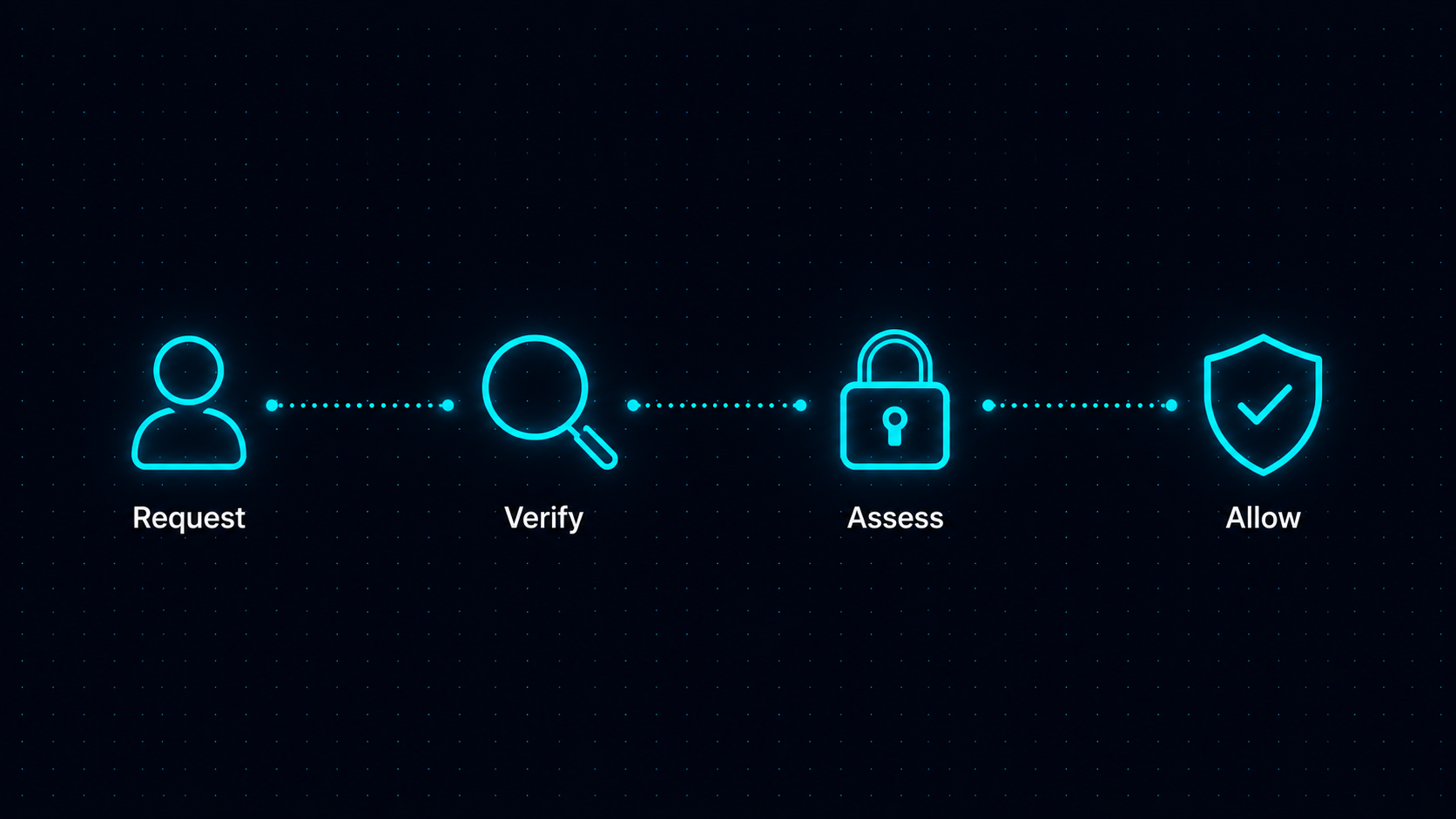
Zero trust starts from a different assumption: no user, device, or application gets automatic trust just because it’s already on the network. Every request to access a file, app, or system gets checked, every time, based on who’s asking, what device they’re using, and whether that request looks normal.
It’s less a single product and more an operating principle. Instead of asking “did this person log in correctly?” once at the start of the day, the system keeps asking smaller versions of that question throughout the session.
Verifying Identity Beyond the Password
A password proves someone knows a string of characters. It doesn’t prove they’re the person who’s supposed to be typing it. Zero trust setups typically add multi-factor authentication, and often go further by checking things like location, time of access, and behavior patterns against what’s normal for that user.
If someone’s account usually logs in from one city during business hours and suddenly tries to access payroll data at 3 a.m. from an unfamiliar location, that’s treated as a signal, not ignored the way it would be under a “you’re already past the gate” model.
Checking the Device, Not Just the User
Identity is only half the picture. Zero trust systems also look at the device making the request: is it running an approved operating system version, does it have current security patches, is it encrypted, is it a known company asset or some random personal laptop?
A correct username and password from an outdated, unpatched, unmanaged device can still get flagged or blocked. Device visibility has become a focus in zero trust circles for this reason. ORDR’s 2026 Zero Trust Statistics Report highlights how many organizations still lack full visibility into the devices connecting to their networks, which limits how well they can enforce verification at the device level in practice.
The Blueprint Behind the Buzzword: NIST SP 800-207
Zero trust isn’t just a marketing phrase vendors picked up in the same year. It has a formal architectural definition published by the National Institute of Standards and Technology in Special Publication 800-207. That document lays out the core tenets that most legitimate zero trust implementations are built around:
- Every resource (data, apps, services) is treated as something that requires verified access, regardless of where it sits on the network.
- All communication is secured no matter the network location, meaning being “inside” the office network carries no special trust.
- Access is granted per session, based on policy, rather than as a standing privilege.
- Access decisions are dynamic, drawing on identity, device state, and behavioral signals rather than a fixed rule made once.
- Systems continuously monitor and log activity, feeding that information back into access decisions.
That last point matters because it turns access control into something ongoing rather than a one-time gate. NIST’s framework doesn’t name specific products; it describes the logic a system should follow, which is why so many vendors can claim zero trust compatibility while implementing it in different ways.
Micro-Segmentation: Shrinking the Blast Radius
If verification is the front door, micro-segmentation is what happens once someone’s inside. Instead of one flat network where any authenticated device can reach any other system, the network gets carved into smaller zones, each requiring its own verification.
Even if an attacker manages to compromise one employee’s laptop, they don’t automatically get a path to the finance server, the customer database, and the file share all at once. They’d need to clear separate verification steps for each, and every one of those steps generates activity that can be flagged. That’s the practical difference between an incident that stays contained to one account and one that spreads through the whole business.
Least Privilege Access, in Practice
Zero trust also leans on a simple idea: give people access to only what they need for their job, nothing more. A marketing coordinator doesn’t need standing access to payroll systems. A contractor working on one project doesn’t need visibility into every internal tool the company owns.
This sounds obvious, but many small businesses grant broad access by default because it’s easier to set up and nobody circles back to tighten it later. Least privilege access flips that default, and it pairs naturally with the segmentation described above, since narrower access means a compromised account has fewer places to go.
Continuous Monitoring, Not a One-Time Check
Because zero trust treats every request as something to verify, it generates far more visibility into what’s happening across a network than the old perimeter model did. Login attempts, file access, unusual data transfers, and device changes all become data points feeding ongoing risk decisions.
This is where the “always verify” part of the principle earns its keep. A user’s access isn’t a fixed grant that lasts until they log out. It’s continuously reassessed, so a session that starts out looking normal but shifts into unusual behavior partway through can still get flagged or cut off.
Why Small Businesses Are Catching Up
Zero trust has often been framed as an enterprise concern, but adoption data suggests that’s shifting. Okta’s 2023 State of Zero Trust Security Report tracked a steady rise in organizations across size categories reporting zero trust initiatives underway or planned, not just among large enterprises. Gartner’s 2024 survey research points in a similar direction, tracking identity-centric security as a rising stated priority among IT decision-makers, independent of any single vendor’s own adoption numbers.
Market sizing backs this up from a different angle. Grand View Research’s Zero Trust Market Report projects continued growth in the zero trust security market through 2030, driven in part by smaller organizations adopting cloud-based tools that make these principles easier to implement without a large in-house security team. A10 Networks’ Zero Trust Security Strategy Adoption Report, a survey the company commissioned rather than independent third-party research, describes similar momentum among organizations of varying sizes, with many moving from pilot projects toward broader rollout. That pattern reflects a broader workforce shift, too: as remote and hybrid work stays common, the old assumption that “inside the office network” equals “safe” doesn’t hold up anymore.
None of this means adoption is complete or universal. IBM’s 2025 Cost of a Data Breach Report notes that organizations further along in security maturity, including those with stronger identity and access controls, tend to detect and contain incidents faster than those relying mainly on perimeter defenses. That gap in outcomes is a big part of what’s pushing smaller organizations to catch up rather than treat zero trust as something only large enterprises need.
What This Looks Like Day to Day
For a small business, none of this usually means ripping out existing infrastructure and starting over. It tends to look like layering new checks onto what’s already there: adding multi-factor authentication, setting up per-application access instead of one flat VPN connection, and requiring device checks before granting access to sensitive systems.
Tools built around zero trust network access, NordLayer among them, are designed to let IT set up per-app access rules, verify device posture before a connection is allowed, and log activity for review, without requiring a business to build its own identity infrastructure from scratch. (Disclosure: EdgeTrustNetwork.com has no paid partnership or financial relationship with NordLayer; it’s mentioned here only as one working example of this category of tool, not as a paid placement.)
Independent reviews of the platform, including one from security reviewer Sybari and another from iFeeltech, an IT services provider that publishes its own comparison reviews rather than running a dedicated third-party testing lab, describe these per-app controls and device checks in terms that line up with how the vendor explains the product itself. That’s a reasonable check against taking marketing copy at face value, though it’s not the same as a formal independent audit. The underlying approach, checking identity and device state before granting narrow, monitored access, matches what NIST SP 800-207 describes, regardless of which vendor is implementing it.
Getting Started Without Overhauling Everything
Most small businesses don’t need to implement every zero trust tenet on day one. A reasonable starting point is usually multi-factor authentication across all accounts, followed by tightening access permissions so employees only reach what their role requires, then adding device checks for anyone accessing sensitive systems remotely.
Segmentation and continuous monitoring tend to come next, once the basics are in place and there’s a clearer picture of what normal activity actually looks like for the business. The point isn’t to reach some perfect end state. It’s to make each step an attacker would need to take a little harder, and a little more visible, than it was before.
Go back to that employee whose credentials got used from another country fifteen minutes after she logged in. Under a zero trust setup, that second request wouldn’t inherit the trust from the first login. It would hit its own check, on its own device fingerprint, its own location signal, its own access rule for that specific system. The moat never mattered much to begin with. What matters is that every door past it still asks who’s knocking.