Zero Trust Isn’t a Product You Buy: Where Small Businesses Get the Concept Wrong
A business owner gets an email from a vendor: “We’re excited to announce our new Zero Trust firewall appliance.” They buy it, plug it in, and check the box. Six months later, a contractor’s stolen laptop still had standing access to the accounting system, because nobody ever asked whether a box on the network could actually enforce the thing it was named after.
This happens more than it should, and it’s not because small business owners are careless. It’s because “Zero Trust” got turned into a marketing label faster than most people had a chance to learn what it describes. The term shows up on firewalls, VPN services, email filters, and identity tools alike, often attached to products that only touch one small piece of the idea.
Myth 1: Zero Trust Is Something You Install
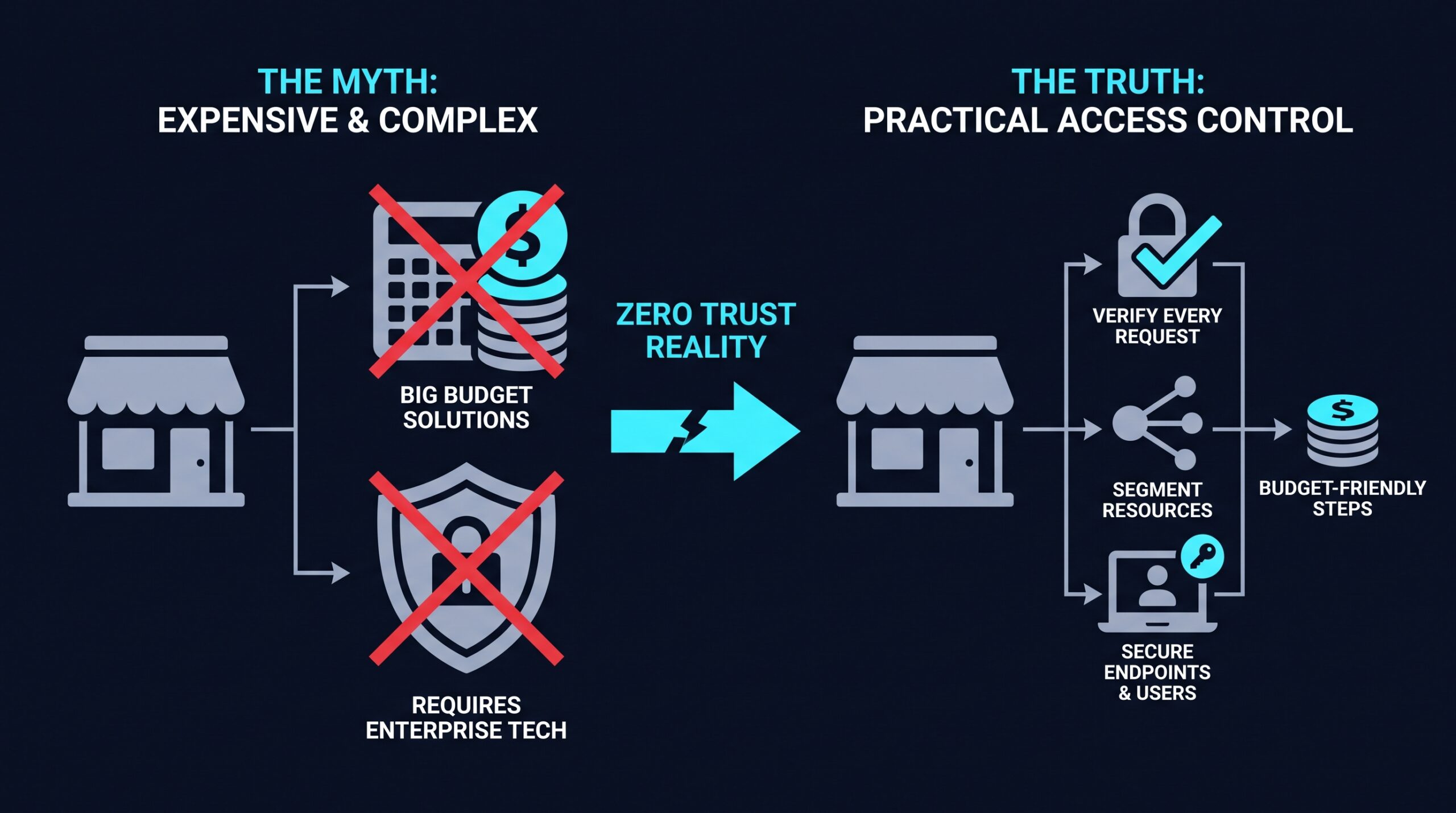
The most common misunderstanding is treating Zero Trust like antivirus software: a thing you buy once and then forget about. Zero Trust is an approach to deciding who and what gets access to your systems, and under what conditions. It is not a single piece of hardware or software that flips a switch.
The National Institute of Standards and Technology lays out the underlying principles in NIST Special Publication 800-207, Zero Trust Architecture, published in August 2020. The document frames Zero Trust as a set of design principles: verify every request regardless of where it comes from, grant the minimum access needed for a task, and assume that any device or network segment could already be compromised. None of that comes out of a box.
So when a vendor says its tool “is Zero Trust,” the more useful question is which principle it actually implements. A tool might handle identity verification well but say nothing about limiting what a verified user can reach once they’re in. Knowing the difference matters more than the label on the packaging.
Myth 2: It Means Trusting No One, Including Your Own Staff
The name itself causes confusion. “Zero Trust” sounds like a workplace where nobody trusts anybody, and that understandably makes some owners uneasy about morale or about implying their team is suspect.
That’s a misreading of what the phrase describes. It refers to the network’s default assumption, not a judgment on employee character. Instead of assuming someone is safe because they’re on the office Wi-Fi or logged into a company laptop, the system checks identity and context every time access is requested. The default lives in the design of the system. It has nothing to do with how management feels about the team.
A useful way to think about it: your office probably doesn’t hand every employee a master key just because they work there. Payroll data, HR files, and client records usually stay locked to the people who need them. Zero Trust applies that same logic to digital systems instead of physical doors.
Myth 3: It’s Only for Big Companies With Big IT Budgets
Because Zero Trust often gets discussed alongside large enterprise case studies, it’s easy to assume it requires a dedicated security team and a large budget. Small businesses frequently decide the whole concept doesn’t apply to them and move on.
That assumption can cost more than it saves. Smaller companies can look like easier targets to attackers who assume a leaner IT team means fewer safeguards, though no single tracked dataset confirms exactly how often that assumption plays out. What’s easier to document is the cost side: limiting access by role, requiring multi-factor authentication, and refusing to trust a device just because it sits inside the office network don’t require enterprise-level spending to put in place.
Cloud-based access tools have lowered the barrier to entry further. A service like NordLayer lets a small IT team, or even one person wearing many hats, set up identity-based access controls without building the infrastructure a large enterprise would need. Other options worth knowing about include Twingate and Cloudflare Access, both built around the same idea of checking identity and context rather than trusting a network location. Cloudflare’s own pricing page for its Zero Trust Services lists a Pay-as-you-go tier with no user limit, as of September 2026, which at least shows that smaller deployments aren’t locked out by a minimum seat requirement. (If you sign up through some of the links in this article, EdgeTrustNetwork may earn a commission at no extra cost to you.) None of this means every small business needs all of these tools, but the barrier isn’t what it used to be.
Myth 4: Once You Set It Up, You’re Done
Another misread is treating Zero Trust as a project with a finish line. A business sets up MFA, maybe restricts some file permissions, and considers the work complete.
Continuous verification isn’t a one-time setup step. It’s ongoing by design. New employees join, contractors leave, devices get lost, and roles change. A Zero Trust approach is supposed to account for that churn by checking access conditions repeatedly, rather than granting a permanent pass at the start.
This is closer to how you’d handle physical security in an office. You don’t give someone a key for life just because they worked there once. Access needs reviewing as circumstances change, and the same logic applies to logins, devices, and permissions.
Myth 5: A VPN Already Does This
This might be the most expensive misunderstanding. Plenty of small businesses believe their existing VPN already gives them Zero Trust protection, because both involve the words “secure” and “remote access.”
A traditional VPN typically gives a connected device broad access to the internal network once it authenticates, which sits close to the opposite of the least-privilege principle Zero Trust is built on. If an attacker compromises one VPN-connected laptop, they may reach far more of the network than that device actually needed.
Zero Trust Network Access, often shortened to ZTNA, works differently. Instead of placing a device “inside” the network, it grants access to specific applications or resources based on verified identity and context, and it re-checks that access rather than assuming it stays valid for the whole session. Vendors like Cisco Duo and Zscaler market offerings under this model, though how closely any given product follows NIST’s principles varies, and vendor marketing language isn’t independent verification of that.
What Actually Changes When You Apply This Correctly
Once the buzzword confusion clears, the practical shift for a small business usually comes down to three things: identity, segmentation, and ongoing checks.
Identity means knowing, with confidence, that the person logging in is who they claim to be, usually through multi-factor authentication rather than a password alone. Segmentation means an employee or contractor only reaches the specific systems their role requires, not the entire network by default. Ongoing checks mean access isn’t granted forever just because it was granted once. Device health, location, or time of access can all factor into whether a session stays valid.
None of these requires one giant purchase. Many businesses start with a single piece, often MFA, and build outward as budget and staff time allow. A company with five employees doesn’t need the same rollout plan as one with five hundred, and treating the smaller version as a lesser imitation of the enterprise version misses the point.
Reading Past the Label
The next time a security vendor’s email promises “Zero Trust protection,” ask what that means for their specific product. Does it verify identity continuously? Does it limit access by role? Does it assume breach rather than assuming safety inside the network perimeter? A real answer to those questions tells you more than the label ever will.
The contractor’s stolen laptop from the opening story didn’t fail because the business lacked a “Zero Trust” sticker on their firewall. It failed because nobody had limited what that laptop could reach in the first place. The term only earns its keep once you stop treating it as a product name and start treating it as a question: who can get to what, and why do they still have that access today?